How AI Agents Work Inside Enterprise Permission Boundaries
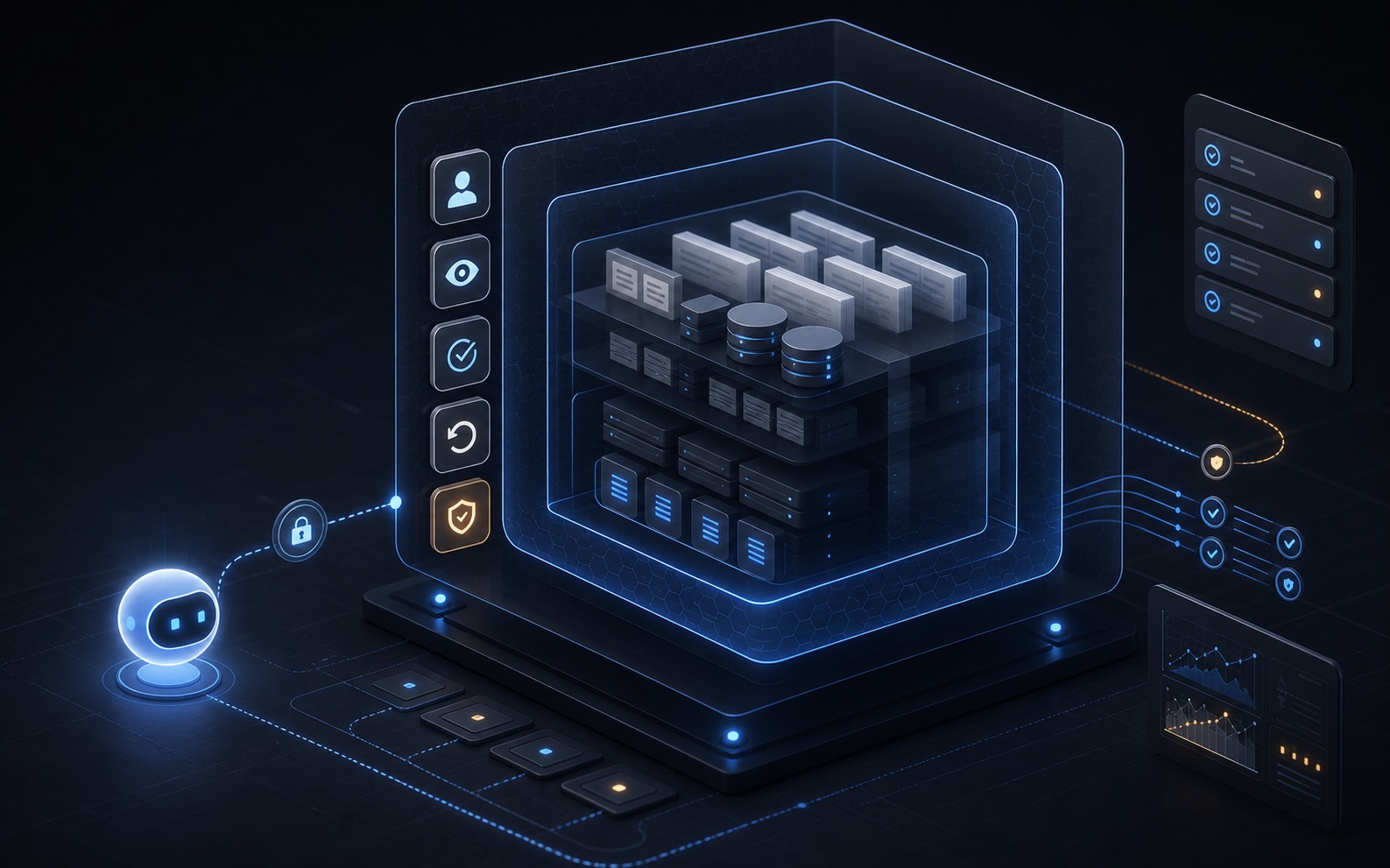
Enterprise teams do not need AI agents to become super admins. They need agents that act as controlled users, inherit permissions, route risky actions for approval, and leave an audit trail.
When enterprises discuss AI agents, the first question is usually:
Can the agent connect to CRM, ERP, tickets, contracts, orders, and other real business systems?
That question is still too broad. The better questions are:
Whose identity does the agent use? What can it read? What can it change? If something goes wrong, can we see exactly what happened and stop it immediately?
If these questions are unanswered, a capable agent becomes a new security blind spot. It can query across systems, call tools, and modify records without being constrained by the job role of any real person.
The goal of an enterprise agent is not to give AI superuser power. The goal is to let AI help users inside clear operational boundaries.
Agents Must Inherit User Identity
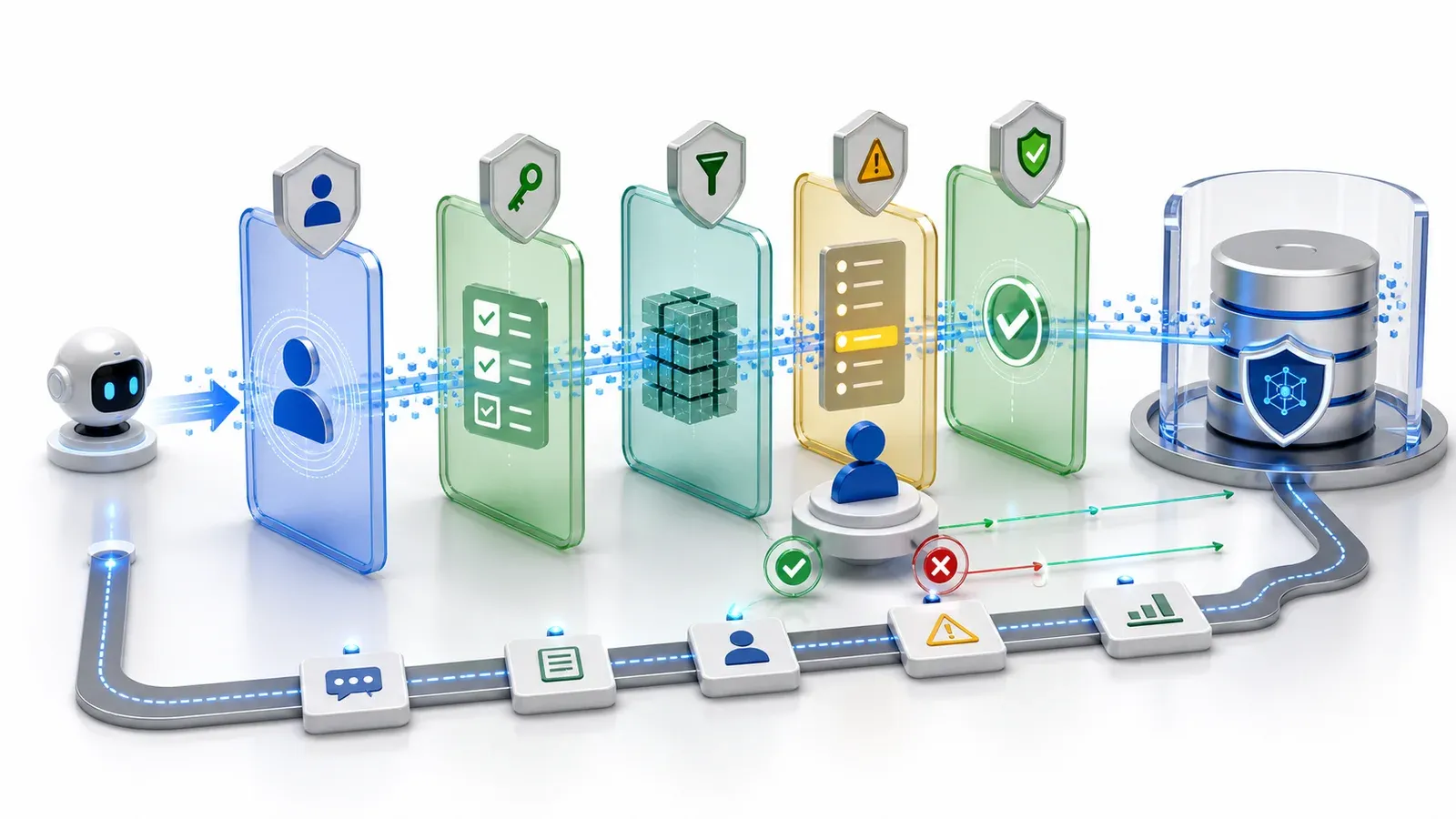
An agent should not run with an independent all-powerful account. It should not hold database administrator credentials.
It should act on behalf of the signed-in user. If a sales rep can only see their own accounts, the agent should only see those accounts. If a support user can only work tickets in their queue, the agent should stay in that queue. If an engineer cannot see contract value, the agent should not see it just because it is “analyzing context.”
This rule determines whether the system is governable:
- when a user leaves, the agent loses that user scope;
- when a user changes roles, the agent scope changes with them;
- records, fields, and actions that are unavailable to the user are unavailable to the agent;
- audit logs can tie agent activity back to a real identity.
Do not rely on prompt instructions for this. Prompts can remind a model not to overreach, but runtime permissions must enforce the boundary.
Permissions Need Object, Record, Field, and Action Scope
Enterprise permissions are more granular than “can access CRM.”
A safe agent needs four kinds of boundaries:
Object permissions: whether the user can access customers, orders, tickets, contracts, or other objects.
Record permissions: which concrete records the user can access, such as their own accounts, regional orders, or a team queue.
Field permissions: whether the user can see sensitive fields such as contract value, cost, personal IDs, or internal notes.
Action permissions: whether the user can create tasks, change stages, close tickets, send quotes, change discounts, or modify roles.
Many AI projects fail because the permission model is too coarse. The system knows the agent can “query customers,” but it does not know that the agent cannot query every customer, cannot read sensitive fields, and cannot perform high-risk actions.
ObjectOS models business objects, fields, actions, and permissions as declarative metadata. Agents do not touch raw tables or arbitrary APIs. They work through governed tools inside the boundaries described by that metadata.
Start Read-Only, Then Recommend, Then Execute
Letting an agent modify business data on day one is usually the wrong starting point.
A safer rollout has three stages:
Read-only: the agent can query and summarize data. It can find tickets past SLA, summarize recent customer issues, or list orders that may be delayed. It does not write data or trigger external actions.
Recommendation: the agent can draft proposed actions, such as “upgrade these tickets” or “create follow-up tasks for these accounts.” A human confirms before anything is saved.
Controlled execution: for low-risk, clearly bounded, reversible actions, the agent can execute automatically. High-risk actions still require approval.
This staged model lets enterprises expand agent capability gradually instead of choosing between “no AI in business systems” and “fully automated AI.”
Risky Actions Need Approval and Rollback
Some actions deserve a higher bar:
- deleting records;
- bulk-changing customers, orders, contracts, inventory, or finance data;
- modifying amounts, discounts, payment terms, or credit limits;
- sending external emails, quotes, contracts, or formal notices;
- changing roles, permissions, or org structure;
- calling external services that create real cost.
These actions cannot depend only on the model deciding that “it should be fine.” The system should show the impact, reason, and record set before execution, then wait for an authorized person to approve.
The system should also record before-and-after state. If an action fails, teams need a path to undo, compensate, or restore manually. If an agent tries to change 500 records, touches a sensitive customer, or exceeds a cost threshold, the runtime should stop and escalate.
Approval is not a way to slow AI down. It is what lets AI enter production.
Every Read and Write Should Be Auditable
Traditional systems often record what humans did. They are less prepared to record what agents did.
Agent activity is a chain: read data, analyze context, draft a recommendation, call a tool, wait for confirmation, then modify records. If something goes wrong, seeing only “this record changed” is not enough.
Audit evidence should answer:
- who triggered the agent task;
- which objects and records the agent read;
- which fields were hidden or denied;
- which tools and actions were called;
- what recommendation was generated;
- which actions were confirmed by a person and which ran automatically;
- how data changed before and after execution;
- which steps failed, were denied, or were escalated.
Audit is not about blame. It is what lets teams safely expand agent scope. Without audit, enterprises keep agents outside business systems. With audit, IT and business teams can see which scenarios are stable and which still need human review.
Controlled User or Shadow Admin?
You can evaluate an enterprise agent architecture with six questions:
- Does the agent run as a real user?
- Does it inherit object, record, field, and action permissions?
- Does it access data through governed tools instead of reading whole databases?
- Does it support read-only, recommendation, and execution stages?
- Do high-risk actions require approval, rollback, and automatic stops?
- Are reads, recommendations, and writes auditable?
If most answers are no, the agent is not enterprise-grade. It is a new security blind spot.
The ObjectOS Position
ObjectOS starts from a practical assumption: valuable AI will enter business systems.
It needs to read customers, orders, tickets, contracts, and approvals. It needs to understand relationships between business objects. It also needs to move work forward when authorized.
But it cannot bypass enterprise governance.
ObjectOS puts objects, fields, workflows, permissions, and actions into one metadata layer. Agents work through that layer. AI gets closer to real business work, while every step has identity, boundaries, and evidence.
Enterprises do not lack chatbots. They lack AI that can safely use business data, be authorized, be audited, and be stopped when needed.