From One Requirement to a Running App: ObjectStack Metadata in a Repair Workflow
A concrete equipment repair scenario shows how AI Builder turns one request into objects, fields, relationships, views, permissions, actions, workflows, APIs, and agent tools powered by ObjectStack metadata.
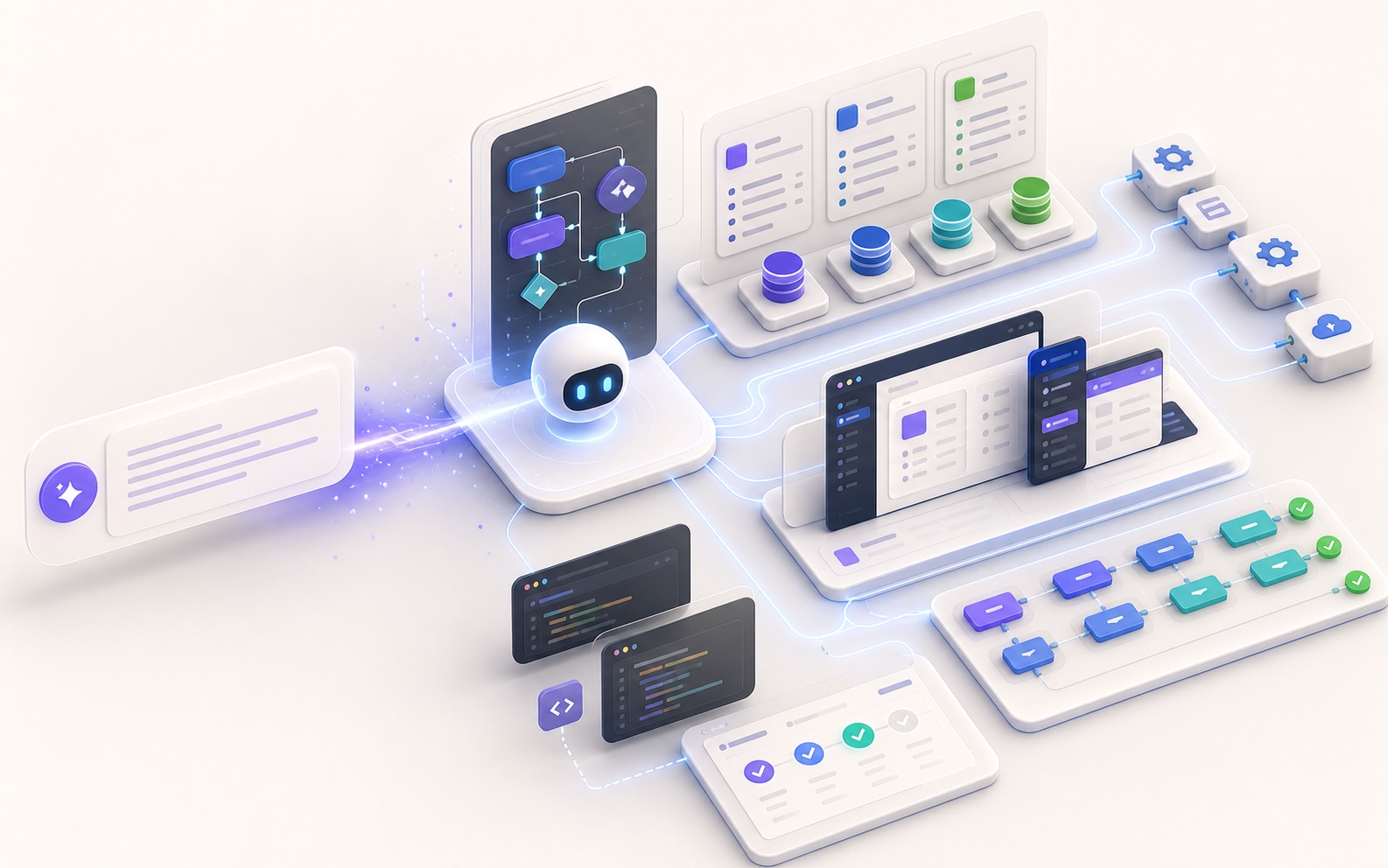
You tell AI Builder:
Build an equipment repair system. Employees can report failures, the system links each ticket to a device, assigns engineers, tracks status, calculates downtime, auto-assigns high-priority issues, and requires resolution and cost before closure.
A few minutes later, a running application appears. It has more than pages. It has objects, fields, relationships, permissions, views, workflows, actions, APIs, and agent tools.
This is not a generic story about “AI generating apps.” It is a concrete look at what ObjectStack metadata creates and why that is more suitable for enterprise applications than one-off code generation.
Start With the Business Scenario
Equipment repair looks simple, but it contains a full operational flow:
- an employee notices a device failure and submits a ticket;
- the system assigns an engineer based on device, location, priority, and team;
- the engineer accepts the ticket, arrives, repairs, adds photos and notes;
- the manager reviews overdue work, downtime, and cost;
- high-risk or high-cost tickets go through approval;
- closed tickets become part of device maintenance history.
In a traditional implementation, this spreads across tables, APIs, pages, permissions, state machines, notifications, audit, and reporting.
ObjectStack starts by describing the system as metadata. AI Builder does not invent a pile of glue code first. It drafts the business specification.
| Business question | Metadata capability |
|---|---|
| What are devices, tickets, and engineers? | Objects and relationships |
| Which fields are required, optional, or enumerated? | Field types and validation |
| What can employees, engineers, and managers see? | Permission sets and field security |
| How are queues, boards, and details displayed? | View metadata |
| How are assignment, escalation, and closure executed? | Actions and workflows |
| What can AI agents query or operate? | Governed tools and audit |
Model Objects Before Pages
AI Builder should first identify business objects:
device: the equipment registry;repair_order: the main repair ticket;repair_comment: maintenance notes and on-site records;user: employees, engineers, and managers reuse the existing user object;team: maintenance teams or shifts.
Applications start with objects because objects drive API, UI, permissions, workflows, and agent tools.
Here is a simplified device object:
import { ObjectSchema, Field } from '@objectstack/spec/data';

export const Device = ObjectSchema.create({
  name: 'device',
  label: 'Device',
  fields: {
    name: Field.text({ label: 'Device name', required: true }),
    code: Field.text({ label: 'Device code', required: true, unique: true }),
    location: Field.text({ label: 'Location' }),
    team: Field.lookup('team', { label: 'Responsible team' }),
    status: Field.select({
      label: 'Device status',
      options: [
        { label: 'Running', value: 'running', default: true },
        { label: 'Maintenance', value: 'maintenance' },
        { label: 'Disabled', value: 'disabled' },
      ],
    }),
  },
});
This is not just form configuration. team is a relationship, status is an enum, and code is a unique constraint. API, pages, filters, permissions, and agents can all use the same information.
The Ticket Object Carries Business Rules
The repair ticket is the core object. It expresses status, priority, relationships, time, photos, and cost.
export const RepairOrder = ObjectSchema.create({
  name: 'repair_order',
  label: 'Repair ticket',
  fields: {
    title: Field.text({ label: 'Failure description', required: true }),
    device: Field.lookup('device', { label: 'Device', required: true }),
    reporter: Field.lookup('user', { label: 'Reporter', required: true }),
    assignee: Field.lookup('user', { label: 'Engineer' }),
    priority: Field.select({
      label: 'Priority',
      options: [
        { label: 'Low', value: 'low' },
        { label: 'Medium', value: 'medium', default: true },
        { label: 'High', value: 'high' },
      ],
    }),
    status: Field.select({
      label: 'Status',
      options: [
        { label: 'Pending assignment', value: 'pending', default: true },
        { label: 'In repair', value: 'in_repair' },
        { label: 'Waiting acceptance', value: 'waiting_acceptance' },
        { label: 'Closed', value: 'closed' },
      ],
    }),
    reported_at: Field.datetime({ label: 'Reported at', required: true }),
    started_at: Field.datetime({ label: 'Started at' }),
    closed_at: Field.datetime({ label: 'Closed at' }),
    cost: Field.currency({ label: 'Repair cost' }),
    photos: Field.image({ label: 'On-site photos', multiple: true }),
  },
});
This metadata creates several derived capabilities:
lookupconnects tickets to devices and users;selectsupports filters, boards, and workflow conditions;datetimeenables SLA and downtime calculations;currencysupports field permissions and approval rules;imageautomatically participates in forms, detail pages, and file controls.
Formula and Validation Should Also Be Metadata
Downtime is a common metric in repair workflows. It does not have to be manually stored; it can be expressed as a formula field:
import { cel } from '@objectstack/spec';

downtime_hours: Field.formula({
  label: 'Downtime hours',
  expression: cel`
    closed_at == null || reported_at == null
      ? null
      : hours_between(reported_at, closed_at)
  `,
});
Before a ticket can be closed, the resolution should be required:
resolution: Field.textarea({
  label: 'Resolution',
  requiredWhen: cel`status == "closed"`,
});
If this logic lives only in the page, API calls, agents, and batch operations can bypass it. As metadata, validation becomes part of the runtime.
View Metadata Shapes Work
Enterprise applications rarely need only one list. A repair system needs at least three views:
- employees see “my submitted tickets”;
- engineers see “assigned to me”;
- managers see all tickets, overdue tickets, and high-cost tickets.
Views can be described as metadata:
export const EngineerQueueView = {
  object: 'repair_order',
  label: 'My repair queue',
  type: 'list',
  filter: cel`assignee == $currentUser && status != "closed"`,
  columns: ['title', 'device', 'priority', 'status', 'reported_at'],
  sort: [{ field: 'priority', direction: 'desc' }, { field: 'reported_at', direction: 'asc' }],
};

export const RepairBoardView = {
  object: 'repair_order',
  label: 'Repair board',
  type: 'kanban',
  groupBy: 'status',
  cardFields: ['title', 'device', 'assignee', 'priority'],
};
Views are not just front-end preferences. They define how people scan the business queue, and they give agents the same object, field, and filter vocabulary when presenting results.
Permissions Are Not Added at the End
The same repair_order has different boundaries for different roles:
- reporters can create and view their own tickets;
- engineers can update repair status and notes but cannot see cost;
- managers can assign engineers, see cost, and close exceptional tickets;
- finance can see cost without necessarily changing repair status.
Permissions must be metadata too:
export const EngineerPermission = {
  role: 'maintenance_engineer',
  object: 'repair_order',
  readable: cel`assignee == $currentUser`,
  editable: cel`assignee == $currentUser && status != "closed"`,
  fields: {
    cost: { readable: false, editable: false },
    resolution: { readable: true, editable: true },
    photos: { readable: true, editable: true },
  },
  actions: {
    start_repair: true,
    submit_acceptance: true,
    close_order: false,
  },
};
This metadata affects UI, API, and agents. An engineer cannot see cost in the page, cannot read it through the API, and cannot get it through an agent query running as that engineer.
That is why enterprise AI applications must treat permissions as a first-class concern. Agents cannot have more business power than the users they represent.
Actions Make Business Behavior Governable
“Start repair,” “submit acceptance,” and “close ticket” are not generic field updates. They are business actions with inputs, conditions, permissions, and audit.
export const StartRepairAction = {
  name: 'start_repair',
  label: 'Start repair',
  object: 'repair_order',
  availableWhen: cel`status == "pending" && assignee == $currentUser`,
  input: {
    started_at: Field.datetime({ label: 'Start time', default: 'now' }),
  },
  changes: {
    status: 'in_repair',
    started_at: '$input.started_at',
  },
  audit: true,
};
Once actions are metadata, three things become clear:
- who can see the action;
- what preconditions must be true;
- what changes after execution and how audit is recorded.
Agents should call these actions, not send arbitrary PATCH requests.
Workflows Connect Automation and Approval
High-priority auto-assignment can be described as a workflow:
export const AutoAssignHighPriorityRepair = {
  name: 'auto_assign_high_priority_repair',
  trigger: {
    object: 'repair_order',
    event: 'afterInsert',
    when: cel`priority == "high" && assignee == null`,
  },
  steps: [
    { action: 'find_on_duty_engineer', output: 'engineer' },
    { action: 'assign_repair_order', input: { assignee: '$engineer.id' } },
    { action: 'notify_user', input: { user: '$engineer.id' } },
  ],
};
High-cost closure should go through approval:
export const HighCostCloseApproval = {
  object: 'repair_order',
  action: 'close_order',
  when: cel`cost > 5000`,
  approvers: ['maintenance_manager'],
  reason: 'High-cost repair requires manager approval',
};
AI can recommend workflows and trigger low-risk actions. High-risk actions remain governed by approval and audit.
API and Agent Tools Come From the Same Metadata
Once object metadata exists, the platform can project APIs:
curl -X POST /api/v1/data/repair_order \
  -d '{ "title": "CNC-3 abnormal noise", "device": "dev_012", "priority": "high" }'
It can also project agent tools:
export const RepairAgentTools = [
  tool.queryRecords('repair_order'),
  tool.getRecord('repair_order'),
  tool.runAction('repair_order', 'start_repair'),
  tool.runAction('repair_order', 'submit_acceptance'),
];
Now a user can ask:
Find today’s high-priority repair tickets that have not started and explain which devices may be affected.
The agent does not guess database structure. It queries repair_order through governed tools, expands related device records, respects user permissions, and summarizes the result.
If the user says “assign the first ticket to today’s duty engineer,” the agent calls the assign_repair_order action. If cost is too high or permission is insufficient, the runtime denies it or routes it for approval.
How This Differs From One-Off Code Generation
One-off code generation creates many files: pages, APIs, database logic, permission checks, and scripts. The first version looks fast, but later changes can cause those files to drift.
ObjectStack metadata gives the business structure one source of truth:
- if object fields change, API, forms, detail pages, and agent tools change together;
- if permissions change, UI, API, and agents follow the same rules;
- if actions change, buttons, workflows, audit, and tool calls change together;
- if views change, humans and agents share the same understanding of the work queue.
AI Builder is not a way to skip software engineering. It drafts the most important structure so humans can review it, the platform can run it, and future changes can continue to land in the same specification.
What Really Happens From Requirement to App
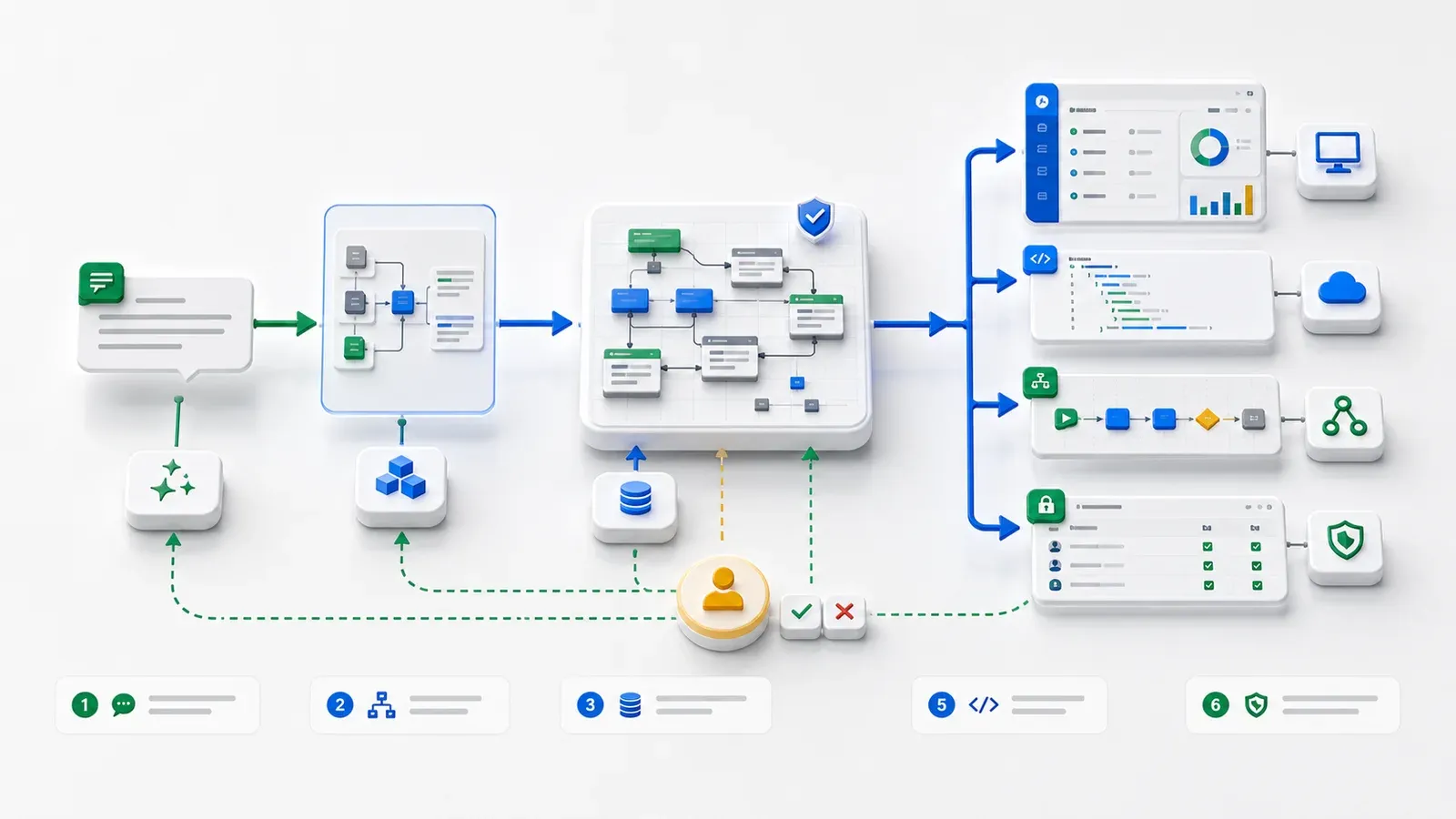
In the repair workflow, the path from one sentence to a running app looks like this:
- natural language becomes real business objects;
- objects, fields, relationships, formulas, and validation become metadata;
- views, permissions, actions, and workflows define business boundaries;
- the platform projects APIs, UI, and agent tools;
- AI queries and recommends within permissions, while risky actions require approval;
- humans review and keep iterating on the same specification.
That is the real value of an AI-native application platform: not making AI generate a pile of code once, but letting AI and people maintain a governable, evolvable business system that can enter production.