Airtable-Style AI App Builder: Build by Table, Change by Chat
A strong AI app builder combines table-based app building with natural-language iteration, while keeping objects, fields, views, permissions, and automation visible.
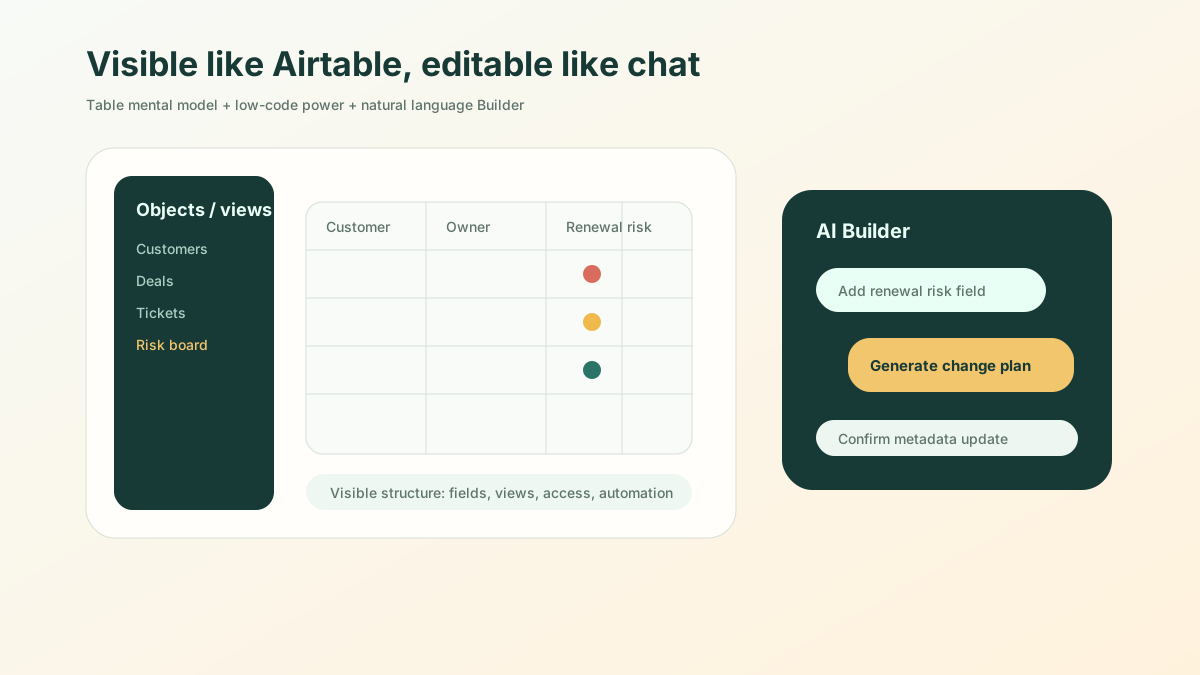
The short version: The best AI builder experience combines three things: table-style building, conversational editing, and governed metadata. It should feel as intuitive as Airtable, but with enterprise objects, permissions, and audit underneath instead of a black box.
Airtable resonates with business users not because it looks like a database, but because it makes “building an app” understandable.
A table represents a business object. A column represents a field. A filter represents a work perspective. A board represents a process state. Users do not need to understand software architecture before organizing their workflows.
If AI Builder is going to enter real business operations, it should inherit that legibility and add natural language.
The user should be able to see tables, fields, relationships, and views like Airtable, while also saying:
Add a “renewal risk” field to the customer table, put high-risk customers into a board, and remind the customer success manager every Monday.
The platform turns that sentence into changes to fields, views, automation, and permissions.
Airtable’s Biggest Lesson for Low-Code Products
Many low-code platforms are powerful, but they often begin with page designers, workflow canvases, data models, permission matrices, and expression editors. For non-technical users, these concepts are heavy.
Airtable starts from the familiar mental model of a spreadsheet.
It lets users answer simple questions first:
- What do I need to manage?
- What fields does each record have?
- How do I want to view the work?
- Which records need grouping?
- Which states need to move?
- Which actions should trigger reminders?
AI Builder should start from this mental model, not from the technical idea of “AI-generated code.”
AI Should Not Turn Applications Into Black Boxes
If a user says one sentence and the platform instantly generates a complete application, but the user cannot see the objects, fields, permissions, and workflows inside it, the experience is impressive in the short term and unsafe in the long term.
Business users need a sense of control, not magic.
A good AI Builder should show the structure after generation:
- objects and views on the left;
- tables, forms, boards, or detail pages in the middle;
- AI conversation and the change plan on the right;
- automation, permissions, and agent tools visible in a side panel or secondary layer.
Then AI is not a hidden black box. It becomes a collaborator that can explain what it is about to change.
”Add a Column” Is Not Simple in Enterprise Applications
In Airtable, adding a column is lightweight.
In enterprise applications, adding a field can affect many layers:
| Impact layer | What must change |
|---|---|
| Data model | Field type, default value, required status, enum, formula |
| Forms | Whether create, edit, and detail pages show the field |
| Views | Columns, filters, groups, sorting |
| Permissions | Who can see or edit the field, whether it is sensitive |
| Automation | Whether reminders, approvals, or status changes are triggered |
| Agent | Whether AI can read, explain, or act on the field |
| Audit | Whether changes need a reason and history |
So when a user says “add a renewal risk field,” AI Builder should do more than add a column. It should ask or infer who maintains the field, what “high risk” means, whether it belongs in a board, whether it should notify an owner, and whether agents may include it in customer summaries.
That is the difference between a table experience and an enterprise application platform.
Conversation Should Operate Application Structure
The AI Builder chat box should do more than answer questions. It should be able to modify the structure of the application.
Business users may say:
- “Turn this list into a board grouped by status.”
- “Create a read-only view of high-risk customers that managers can see across the team.”
- “Add a finance approval node for contracts over 500,000.”
- “Remind the purchasing manager when supplier qualifications expire within 30 days.”
- “Allow the agent to generate a weekly report, but not send email directly to customers.”
Each conversation maps to metadata changes.
More importantly, the system should echo a change plan:
I will add one field, one board view, one weekly automation, and allow customer success managers to edit the field. Confirm?
This lets users understand what they are changing and gives IT a way to audit business-led changes.
The Experience Should Feel Like Three Products Combined
A mature AI Builder should feel like three products at once.
First, like Airtable: objects, fields, records, and views are visible.
Second, like a low-code platform: workflows, permissions, automation, and integration are enterprise-grade.
Third, like ChatGPT: users express intent in natural language and do not need to remember configuration entry points.
Any missing piece hurts the product. Tables alone cannot model complex permissions and workflows. Low-code alone is too heavy for many business users. Chat alone can easily become a black box.
The ObjectStack AI Builder Direction
ObjectStack’s AI Builder should not be a chat box that generates code. It should be a conversational application-building workbench.
It makes business structure visible like Airtable: objects, fields, relationships, and views. It makes enterprise capabilities complete like low-code: permissions, workflows, automation, integration, and audit. It then uses natural language to lower the cost of modifying the application.
The product picture is concrete: business users do not file a requirement ticket or drag a workflow from scratch. They say what they want to change inside the application. The platform shows a change plan. The user confirms. The application structure updates, and the runtime follows the new rules.
That is the AI Builder experience worth building.